

Meeting minutes, tasks and follow-up
What gets decided in the meeting gets done.
VORA VORA records the meeting, writes the minutes with AI, assigns the tasks and reminds each person of theirs until it is done.
14 days free with the full product. No card needed.
Records in the room or online, with no bot joining the call
Minutes and tasks in Spanish, Catalan and seventeen other languages
Your meetings inside Claude and other AI assistants, through MCP
In 30 seconds
From the meeting to the tasks, without writing a line
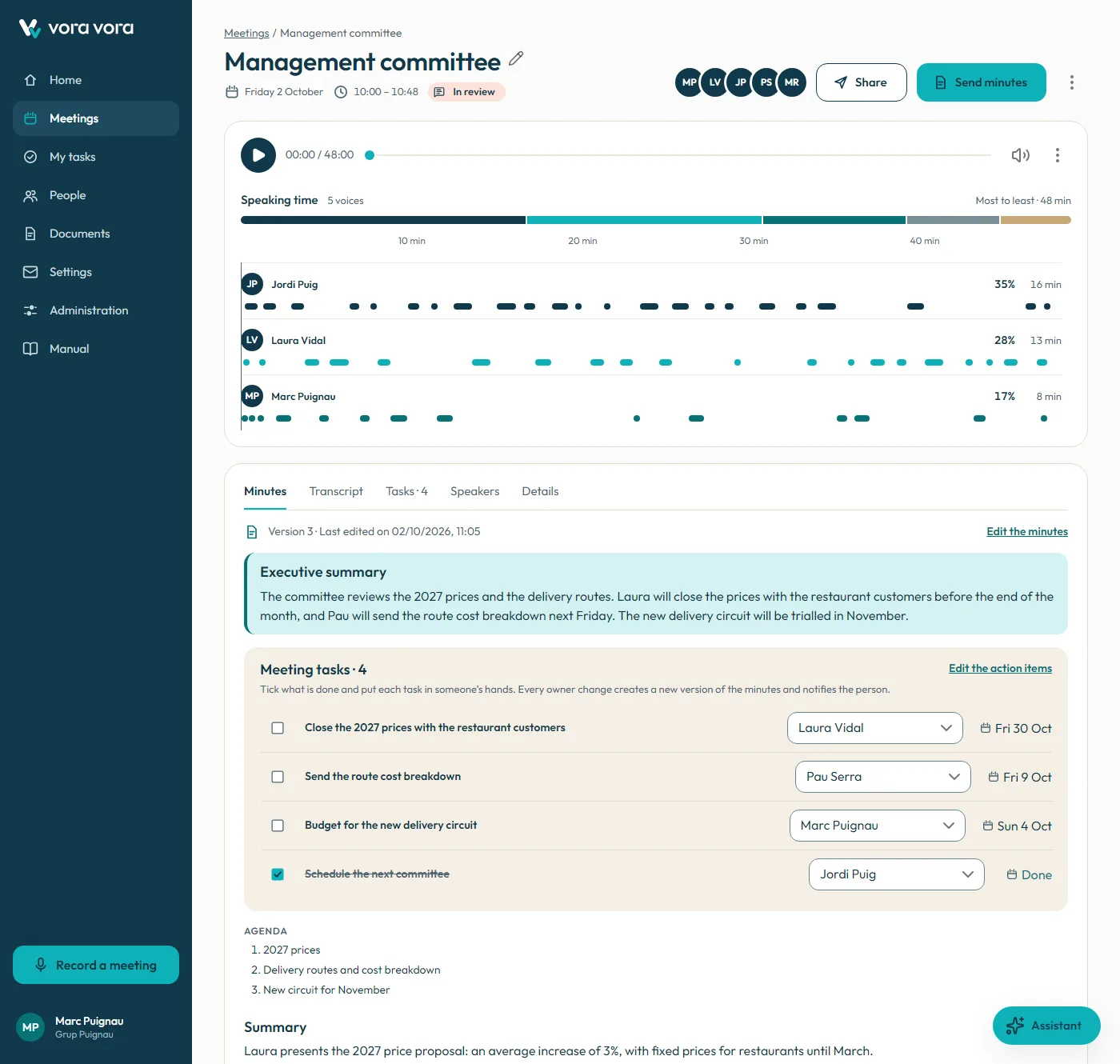
You record the meeting, in the room or online.
VORA VORA writes the minutes: summary, decisions and tasks.
Everyone gets their part, with reminders until it is done.
How it works
Before, during and after every meeting
Meeting recorders stop at the summary. VORA VORA keeps going until the task is done.
You arrive knowing what is on the agenda
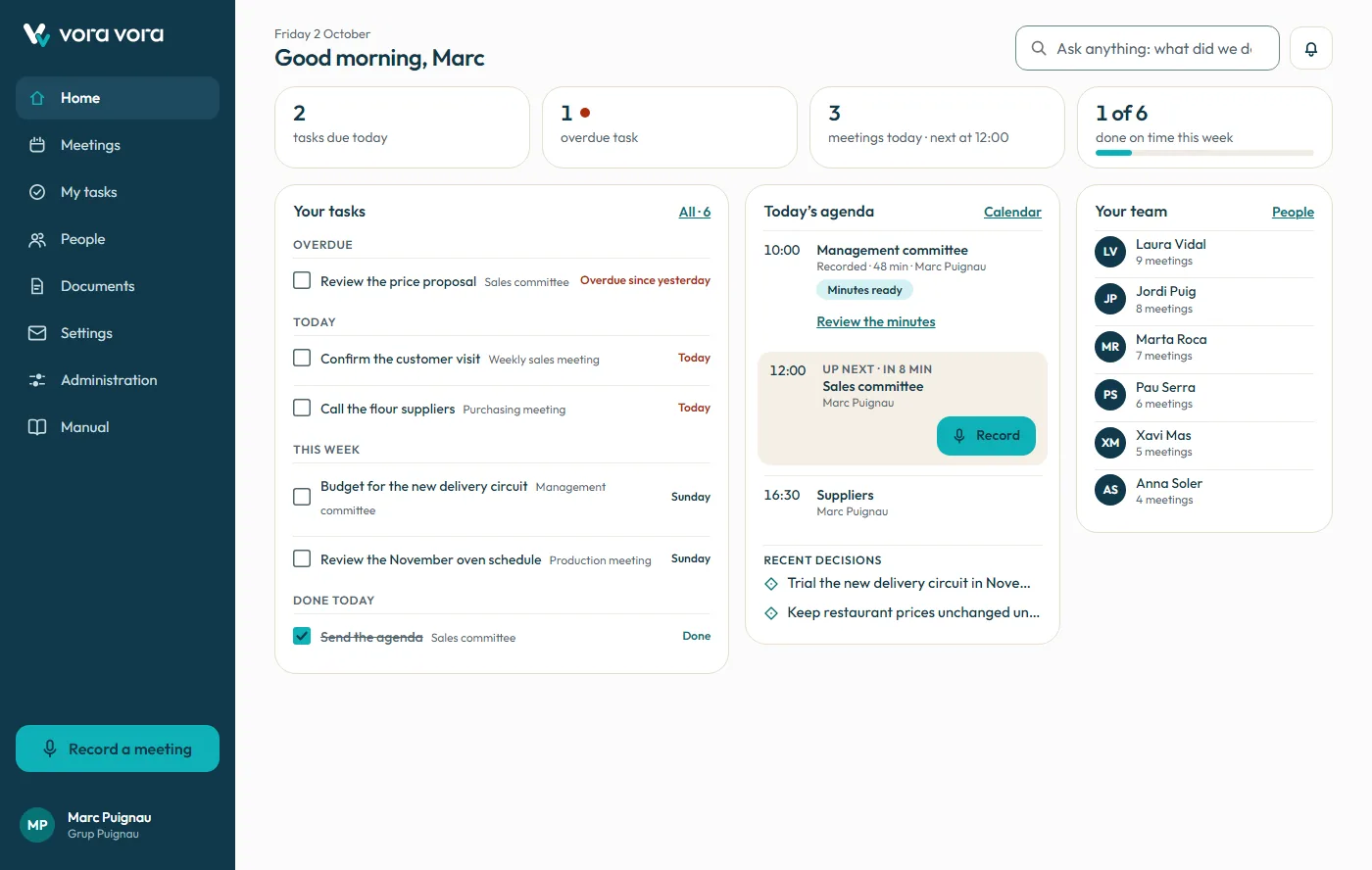
Your Microsoft 365 calendar and your open tasks on a single screen. The next meeting, who is attending and the button to start recording.
Today's agenda synced with Outlook
Tasks to do, overdue and due this week
The next meeting, one click away from recording
New · MCP server
Your meetings, inside your AI assistant
No more copying and pasting transcripts. Connect VORA VORA to Claude or any MCP-compatible assistant and ask about what was discussed, what is still pending or who is in charge of what. It can also update tasks and prepare the minutes for you.
Ask it things like
“What did we decide about pricing in the management committee?”
“List my overdue tasks and mark the budget one as done.”
“Create the follow-up meeting for Thursday at ten.”
Works with Claude (web, desktop and mobile), Claude Code and any HTTP MCP client that supports OAuth.

With the usual safeguards
Respects your permissions
The assistant sees exactly what you see in VORA VORA, and nothing more.
Irreversible actions need confirmation
Archiving, deleting or signing requires you to confirm first.
You decide what connects
See the connected assistants in your profile and disconnect them with one click. The administrator can turn off MCP for the whole organization.
Real OAuth 2.1
Personal, expiring access that is useless outside MCP.
Downloads
VORA VORA on your computer and your phone
The desktop app records your microphone and the computer audio — the other side of a Teams, Zoom or Meet call — and keeps going even if you close the window or lose the connection.
If Windows shows “Windows protected your PC”, click “More info” and then “Run anyway”.
macOS
Linux
On your phone
Record meetings from your phone and review minutes and your tasks wherever you are.
iPhone and iPadApp StoreAndroid · Coming soonGoogle Play
Pricing
Three plans, one recommended
All with a 14-day free trial, no card needed.
Individual
Freelancers and professionals
€12
/ month
€15 billed monthly
1 organizer and up to 2 collaborators
In-person and online recording
AI transcription and minutes
Tasks and reminders
Search across your meetings
Outlook and Microsoft 365 calendar
Team
SMEs and teams
€19
/ organizer per month
€25 billed monthly
Everything in Individual
Free collaborators (5 per organizer)
Company memory: ask what was decided
Connection to AI assistants through MCP
Reminders in the app and by email
Task marked done with the Outlook email as evidenceComing soon
Brief for the next meetingComing soon
Management viewComing soon
Volume: €17 from 20 organizers, billed annually.
Enterprise
Groups and large companies
Custom
Guide price: from €17
Everything in Team
Several companies in a single account
Single sign-on with Microsoft or Google
Configurable data retention
Dedicated support
Data processing agreementComing soon
Consolidated billingComing soon
Prices excl. VAT, billed in euros. All plans include the 14-day trial.
Fair use: 30 recording hours per organizer per month, pooled across the whole company.
Work out your fee
Team plan. Adjust the numbers for your company.
10 organizers × €19
€190
40 collaborators included
Free
Per month
€190
Per year
€2,280
Amounts excl. VAT.

Founders program
Be one of the 50 founding companies
A limited offer for the first companies, in exchange for helping us grow the product.
After that, €19 guaranteed for 24 months, with no increases
Free personalized onboarding support
Early access to new features
In return
- One feedback session a month for 6 months
- Permission to use your logo and tell your story
- Taking part in designing new features
Until when
Until all 50 places are filled or until 3 months after launch, whichever comes first.
Frequently asked questions
What is the difference between an organizer and a collaborator?
The organizer records meetings, receives the minutes and assigns tasks: they are the one who pays. The collaborator receives their tasks and reminders, views the minutes they appear in and marks what they have done, and joins for free: up to 5 per organizer.
Do I need a card for the trial?
No. The trial lasts 14 days, includes the full product, Outlook too, and is designed for a team, not a single person.
What happens when the trial ends?
Nothing is lost: if you do not subscribe, your meetings, minutes and tasks stay in read-only mode.
How long is the trial?
14 days with the full product, Outlook included. With weekly meetings, that is enough to see what really changes: the reminder that arrives, the task that gets closed and the next meeting, which starts with everything in order.
Is there a limit on recording hours?
Fair use: 30 recording hours per organizer per month, pooled across the whole company. If you need more, you can buy hour packs.
Do prices include VAT?
No. All prices are excl. VAT and billed in euros.
What is MCP and what is it for?
The Model Context Protocol is the standard AI assistants such as Claude use to connect to other applications. With the VORA VORA MCP server, your assistant can search your meetings, read minutes and transcripts and update your tasks, always with your permissions.
Can I pay monthly?
Yes: the Team plan costs €25 per organizer billed monthly, and €19 billed annually, 24% less.
Does it record in-person meetings without a bot?
Yes. You record from the browser on your computer or phone, in the room or on a call, and no bot joins the meeting. You can also upload an audio or video file.
Does it work with Teams, Zoom or Meet?
Yes, with no bot or integration inside the call: you record the tab or the screen from the browser, or upload the recording when it ends. With Outlook and Microsoft 365, VORA VORA also sees the meetings in your calendar.
Which languages does it write minutes in?
The app is available in nineteen languages: Spanish, Catalan, English, French, Portuguese, German, Italian, Basque, Galician, Chinese, Arabic, Russian, Japanese, Indonesian, Turkish, Korean, Vietnamese, Dutch and Polish. Each meeting is transcribed in the language spoken, and a single meeting can mix several.


Start this month with your meetings in order
14 days with the full product, Outlook included. No card needed.